How to Run an Online Esports Tournament, Step by Step
Our definitive step-by-step guide on how to run an esports tournament. Learn about registration, brackets, Discord automation, and broadcast production.
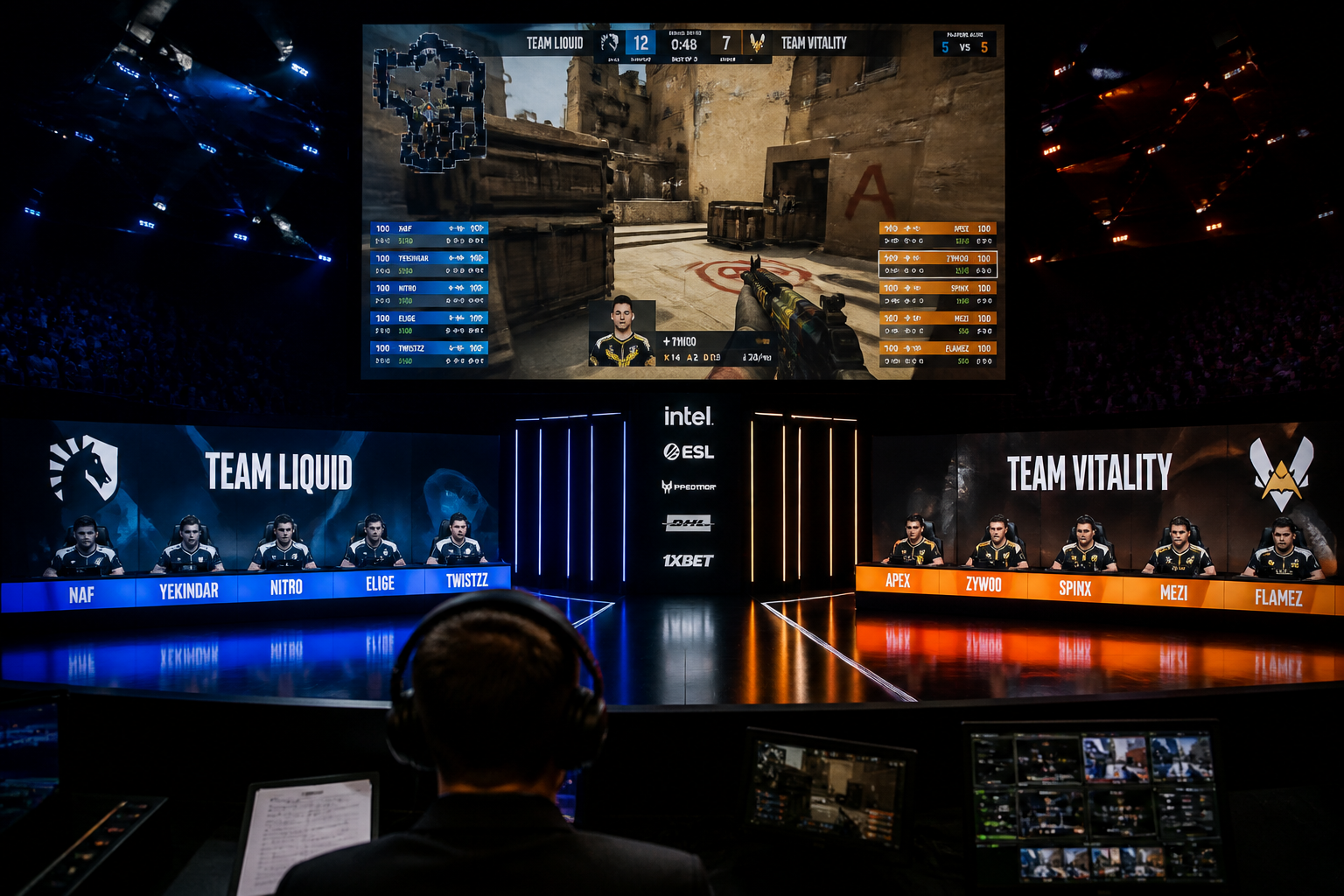
The grassroots esports scene is constantly moving, with organizations like Luminosity recently returning to CS2 by signing the core of the Monte roster, proving there's always an opportunity to build something new. You might be looking at this activity and wondering how you can contribute to your favorite game's community. This guide provides a definitive answer to the question of **how to run an esports tournament**, taking you from initial concept to a fully executed online event. We will cover planning, registration, automated check-ins via Discord, bracket management, and professional broadcasting, giving you a complete framework for success.
Planning and Setup: The Foundation of How to Run an Esports Tournament
Before you can even think about signups, you need a solid plan. Your first decision is the game. While it's tempting to pick the biggest title, you'll often find more success by catering to a dedicated niche within a game like Valorant, CS2, or Rocket League. Consider formats that are underserved in your region or for your skill level, such as a wingman (2v2) CS2 league or a 1v1 Rocket League ladder for Diamond-ranked players.
Next, define your tournament format. A Single Elimination bracket is fast and straightforward, ideal for a one-day event. However, it can feel punishing as one loss means a team is out. A Double Elimination bracket is more competitive, giving every team a second chance through a lower bracket, but it requires significantly more time and matches. For multi-week leagues, a Swiss or Round-Robin format ensures every team plays a set number of matches, which is excellent for building a recurring community.
Finally, establish a clear and comprehensive rulebook. This document is your ultimate authority and prevents disputes. It should cover everything from eligibility requirements, map veto processes (e.g., Ban-Ban-Pick-Pick-Ban for a Best-of-3), server settings, and specific rules on player conduct, stream-sniping, and cheat usage. Also, decide on your prize pool. It doesn't have to be cash; skins, hardware, or even just bragging rights and a special Discord role can be powerful incentives for a community-focused event. Your rulebook is non-negotiable and should be the first thing players see when they consider signing up.
Automating Registration and Check-ins with Discord
Managing player signups and ensuring everyone is ready on match day is historically one of the most labor-intensive parts of running a tournament. Manually tracking signups in a spreadsheet and pinging roles in Discord is a recipe for missed players and delayed starts. This is where automating the process becomes essential for a smooth experience, both for you and your participants. Using a dedicated platform is the key to scaling your event without scaling your workload.
The HUDrift Tournaments platform integrates directly with Discord to handle this entire funnel. First, you create your tournament page on HUDrift, inputting the rules, schedule, and format you decided on in the planning phase. You then share the unique signup link in your community Discord, on social media, or wherever you promote your event. When a player clicks the link, they are prompted to create a HUDrift account and connect their Discord account as part of the registration process.
Once a player successfully signs up, two things happen. Their name is added to the public-facing roster on the HUDrift tournament page, and they instantly receive a direct message from the HUDrift bot on Discord. This DM confirms their successful registration and tells them which event they've joined. This immediate feedback provides peace of mind and reduces the number of "Am I signed up?" questions you'll have to answer.
The real efficiency gain comes on tournament day. Approximately one hour before the scheduled start time, the HUDrift bot automatically sends another DM to every registered player. This message contains a unique check-in link. Clicking this link marks the player as present and ready to play. This process gives you a precise, real-time headcount of who is actually available, allowing you to remove no-shows before you even build the bracket.
Managing Brackets and Initiating Matches
After the check-in window closes, you have your final list of participants. The next step is to seed the bracket. Seeding is the process of ordering your players or teams to determine their initial matchups. For a casual community cup, a random seed is perfectly acceptable and fair. For more competitive events, you might consider a manual seed where you rank teams based on past performance or known skill levels to ensure the top contenders don't face each other in the very first round.
With your checked-in players and seeding method determined, you can generate the bracket with a single click. The platform automatically places teams into the single or double elimination bracket you configured. This is the moment of truth where the tournament structure becomes visible to everyone on the public tournament page. Players can see their path to the finals, creating immediate excitement and engagement.
This is where the final piece of HUDrift's Discord automation comes into play. As soon as the bracket is generated and the first-round matches are set, the bot sends a third and final DM to every player. This crucial message informs them of their first match, explicitly naming their opponent and providing a link to the official bracket page. This targeted, direct communication eliminates all confusion. There's no need to post a bracket image and tag dozens of users in a chaotic Discord channel; every player knows exactly who they are playing, right in their DMs, allowing matches to start promptly.
How to Run an Esports Tournament Broadcast: Production and Casting
A broadcast transforms your tournament from a simple competition into a spectator event. Your primary tool for this will be OBS Studio, a free and powerful broadcasting software. For a high-quality stream on platforms like Twitch or Kick, you need to configure your settings properly. For 1080p at 60 frames per second (fps), a standard for fast-paced esports, set your video bitrate to 6,000-8,000 kbps using the CBR (Constant Bitrate) rate control. If you have a modern NVIDIA GPU (RTX 20-series or newer), use the NVENC (H.264) encoder for the best performance with minimal impact on your gaming PC.
Your broadcast's presentation is defined by its overlays. A professional graphics package makes your stream look legitimate. HUDrift's core application provides a suite of broadcast overlays for CS2 and Valorant that automatically display real-time game data. This includes player stats, team information, bomb timers, and post-round breakdowns. Integrating these elements means you don't have to manually update graphics, allowing your production team to focus on storytelling.
Great moments are what make esports memorable, like when Team Spirit's magixx had his incredible 1v4 clutch against FaZe commemorated with in-game graffiti. Your broadcast needs to be ready to capture and highlight these moments. Use OBS's Replay Buffer feature to instantly save and replay a highlight that just happened. You can pair this with specific HUDrift overlay scenes to create a dedicated 'Instant Replay' segment, complete with caster analysis, adding immense production value and helping to build player legacies within your own community.
Finally, consider your on-air talent. You can start by casting games yourself, but bringing in dedicated community casters can elevate the broadcast. Ensure they have good quality microphones with audio filters like a noise gate and compressor applied in OBS to ensure clean, professional-sounding commentary. Your casters are the voice of your tournament, guiding viewers through the action and building narratives around the players and teams.
Community Management and Tournament Staffing
While HUDrift automates the core tournament mechanics via DMs, your Discord server remains the central hub for your community. A well-structured server is critical for a positive player experience. Create dedicated channels for announcements, rules, general discussion, and, most importantly, a support or admin ticket channel. This gives players a clear place to go if they have a dispute with an opponent or a technical issue that requires admin intervention.
Even for a small online tournament, you should define staff roles. You will act as the Tournament Organizer (TO) or Head Admin, holding the final say on all decisions. You might also need a few Admins to help answer questions, resolve disputes, and verify match results if you require screenshots. If you have a broadcast, you'll have Casters and potentially a dedicated Observer who controls the in-game camera for the stream, ensuring they are always focused on the most important action.
Proactive and clear communication is the hallmark of a good admin team. Just as in professional circuits where teams make key staff changes, like Astralis's reported plan to bring in NEO as head coach, having the right people in the right roles matters at every level. Your admins are your front line. Empower them to enforce the rulebook consistently and fairly. A well-managed tournament builds trust, encouraging players to return for your next event.
You have planned your event, automated the logistics, and prepared your broadcast. By following these steps, you have a robust blueprint for running successful online tournaments that build community and create memorable competitive experiences. The key is leveraging tools that handle the repetitive, error-prone tasks, freeing you up to focus on your players and production.
Ready to get started? Explore the HUDrift Tournaments platform to create your first event and see the Discord automation in action. For elevating your broadcast with live in-game data, you can download the HUDrift app and explore our professional overlay packages.
Step 1: Planning and Registration
Before you can even think about brackets or broadcasts, you need a solid plan. The first decision is the game itself. Whether it's Counter-Strike 2, Valorant, or Rocket League, your choice will dictate the format, rules, and schedule. Next, define the tournament structure. A single-elimination bracket is fast and simple, perfect for a one-day event. A double-elimination bracket offers a second chance for competitors, increasing competitive integrity but also extending the event's runtime. For longer leagues, a Swiss or Round Robin format ensures everyone plays a set number of matches.
Once the format is set, establish a clear and comprehensive ruleset. This document is your single source of truth and will be your best tool for resolving disputes. Cover everything from map-veto processes and server settings to player conduct and bug exploitation. Having these rules defined upfront prevents mid-tournament arguments and ensures a fair playing field for everyone involved. Your ruleset should be easily accessible from your registration page and your community Discord server.
With your plan in place, it's time to handle registration. While you could use a simple Google Form, dedicated tournament platforms provide a much smoother experience for both you and your players. These platforms handle the collection of player information, team rosters, and in-game IDs. When comparing options like Start.gg or Challonge, consider how they integrate with other tools you'll be using, such as Discord and broadcast software. An integrated system saves you countless hours of manual data entry and cross-referencing.
Your registration page is the public face of your event. Make sure it contains all critical information: the date and time, the prize pool (even if it's just for bragging rights), a link to the ruleset, and a clear schedule. Using a platform like HUDrift for your event allows you to create a clean, dedicated landing page where players can sign up, connect their necessary accounts like Discord, and find all the information they need in one place. This centralization is key to a smooth player experience from the very beginning.
How to Run an Esports Tournament with Automated Discord Management
Discord is the central hub for any online gaming community, and for a tournament, it's non-negotiable. It's where players gather, ask questions, find their opponents, and receive updates. However, managing this communication manually is a recipe for chaos. Imagine individually DMing every single participant with their check-in link or their next opponent's name for a 64-player bracket. This is not only inefficient but also highly prone to human error, leading to delays and frustrated players.
This is where automation becomes your most valuable asset. Instead of creating complex role systems and spending hours in DMs, an integrated system handles the entire communication flow for you. HUDrift's tournament tools are built specifically to solve this problem by connecting directly with Discord to manage the most critical communication touchpoints. This automation frees up you and your admin team to focus on running the event, not on being Discord secretaries.
The automated workflow is simple but powerful, ensuring every player gets the right information at the right time. It follows a precise, four-step process:
- **Signup Confirmation:** The moment a player registers for your tournament via the HUDrift platform and connects their Discord account, they receive an automated direct message from the HUDrift bot. This DM confirms their successful registration and which event they've joined, giving them immediate peace of mind.
- **Automated Check-in:** Approximately one hour before the tournament's official start time, every registered player receives another DM. This message contains a unique, one-click link to check in for the event. This process confirms who is actually present and ready to play, which is essential for accurate bracket seeding.
- **Matchup Notification:** Once the check-in window closes and you, the organizer, generate the bracket, the system gets to work. Each player in the first round instantly receives a new DM informing them of their opponent and which match they are in. This eliminates the flood of "who do I play?" questions in your main Discord channels.
- **Ongoing Match DMs:** As the tournament progresses and matches are completed, players who advance will continue to receive these automated DMs for their subsequent rounds. This keeps the tournament moving smoothly without constant manual intervention from your admin team.
This automated flow is the core of a well-run modern online tournament. It provides a professional and seamless experience for your players, who no longer have to hunt through crowded channels for critical information. For you, it removes the single biggest administrative bottleneck, allowing the event to run on time and with minimal friction. You can manage the entire process from a central dashboard, making it easy to see who has checked in and to generate the bracket with a single click. Explore how to set this up on our tournaments page.
Step 3: Bracket and Schedule Management
With your players checked in, it's time to generate the bracket. The type of bracket you chose during the planning phase will now be put into action. For most community events, a single-elimination bracket seeded randomly after check-in is the most straightforward approach. This is fair to all participants, as seeding is based on who showed up on time, not on a perceived skill level that can be difficult to determine in a diverse community setting.
Double-elimination brackets add a layer of complexity but are often preferred by serious competitors. The upper bracket proceeds as normal, while players who lose a match drop to a lower bracket for a second chance. The winner of the upper bracket and the winner of the lower bracket then face off in the Grand Final. While this format takes longer, it provides a more robust test of skill and can create compelling comeback stories. For an example of a well-structured professional bracket, you can look at tournament archives on sites like Liquipedia.
Your schedule is a promise to your players. It's crucial to be realistic. Factor in the average game time for your chosen title, including potential overtimes, technical pauses, and breaks between rounds. A best-of-three series in Valorant can take significantly longer than a best-of-three in Rocket League. It is always better to build buffer time into your schedule and run ahead than it is to fall behind and have players waiting for hours. Clearly post the estimated start time for each round so participants can plan accordingly.
Dispute resolution is an inevitable part of tournament organization. No matter how clear your rules are, situations will arise that require an admin's judgment. Designate one or more admins as the final authority on all rule interpretations. When a dispute occurs, have players provide screenshots or video evidence if possible. Handle these situations privately in a dedicated Discord channel or DM to avoid public arguments. A calm, fair, and decisive admin team is crucial for maintaining the integrity and smooth flow of the competition.
Step 4: Broadcasting and Casting the Action
A live broadcast is what transforms your tournament from a simple competition into a spectator event. You don't need the budget of a major event like the fictional Black Ops 7 at Esports World Cup 2026 to create a high-quality stream. With a decent PC, a stable internet connection, and the right software, you can produce a professional-looking show that will engage your community and attract new viewers.
Your primary tool will be broadcasting software, with OBS Studio being the industry standard for its power, flexibility, and the fact that it's completely free. Take the time to set up different scenes for various parts of your broadcast: a 'starting soon' screen, a main gameplay scene with overlays, a caster-focused scene for analysis, and a 'be right back' screen for breaks. This allows you to switch seamlessly throughout the event and give your stream a structured, professional feel.
Technical settings are critical for a stable, high-quality stream. For platforms like Twitch, a common target is 1080p resolution at 60 frames per second (1080p60). To achieve this without dropping frames, you'll need to configure your settings correctly in OBS. Use the NVENC (new) encoder if you have a modern NVIDIA graphics card, as it has a minimal impact on game performance. Set your bitrate to between 6,000 and 8,000 kbps for 1080p60, and ensure your keyframe interval is set to 2. You can find more detailed guidance in the official Twitch Broadcasting Guidelines.
Finding casters, or commentators, adds personality and context to your broadcast. The best place to start is within your own community. There are likely passionate players who would love the opportunity to get on the mic. Put out a call for aspiring casters in your Discord. You can have them submit a short clip of them casting over a VOD to audition. Giving new talent a platform is a great way to build community engagement and find hidden gems.
How to Run an Esports Tournament with Professional-Grade Overlays
The visual presentation of your broadcast is what separates an amateur stream from a polished production. This is where overlays come in. At a basic level, an overlay displays static information like the tournament name and team logos. However, to truly create a professional viewing experience, you need dynamic, data-driven overlays that integrate directly with the game being played. Viewers of top-tier events, like the recent Stake Pulse Beat I final where Betclic defeated Team Liquid, expect to see live scores, player statistics, and real-time game state information on screen.
Manually updating this information during a live broadcast is nearly impossible. Trying to change the score, update player names, and track kills or objectives by hand is stressful and error-prone. One mistake, like showing the wrong score, can confuse viewers and undermine the credibility of your broadcast. This is a common challenge for new organizers, but it's one that can be completely solved with the right tools.
HUDrift provides broadcast overlays that connect directly to games like CS2 and Valorant through their respective game state integration APIs. This means your overlay is no longer just a static graphic; it's a live, intelligent layer on top of your broadcast. When a round is won, the score on your screen updates automatically. When a player gets a kill, their stats can be updated in real-time. This automation ensures your broadcast is always accurate and allows your production team and casters to focus on the narrative of the game, not on manual data entry.
Setting up these dynamic overlays is straightforward. You add the overlay as a Browser Source in OBS, and HUDrift handles the connection to the game data. You can customize the look and feel to match your tournament's branding, giving you a unique and professional aesthetic. This level of production quality, once reserved for major studios, is now accessible to any community organizer, providing immense value and making your stream stand out.
By following these steps—thorough planning, automated communication, diligent management, and professional broadcasting—you can successfully host an online esports tournament that your community will love. The key is to leverage modern tools to handle the administrative burdens, freeing you to focus on creating a great competitive experience. Ready to automate your signups, check-ins, and broadcast?
Explore HUDrift's integrated tournament management tools to get started on your next event. From automated Discord DMs to live, data-driven overlays, we provide the platform to make your tournament a success.
Frequently Asked Questions
- How much does it cost to host an esports tournament?
- The cost can range from zero to thousands of dollars. Using free tools like Discord for communication and OBS for streaming keeps base costs low. Platforms like HUDrift offer free tiers for tournament organization. Costs increase with prize pools, hiring casters, or paying for premium platform features. For a community event, you can start with a budget of $0 and scale up as your tournament grows in popularity and you seek to add more production value.
- What is the best format for a small online tournament?
- For a small, single-day tournament (e.g., 8-16 teams), a Single Elimination bracket is often best. It's fast, easy for players to understand, and ensures the event concludes in a few hours. If you have more time or want to provide more playtime, a Double Elimination bracket is a great alternative, as it gives every team a second chance after their first loss. Avoid complex formats like Round Robin unless your event spans multiple days or weeks.
- How do I get players to sign up for my tournament?
- Start by promoting within your target community. Post your tournament announcement on relevant subreddits, Discord servers, and social media groups dedicated to the game you're hosting. Clearly state the date, time, format, region, and any prizes. Using a simple signup link from a platform like HUDrift makes registration easy. Running a consistent event, even for a small prize, will build a reputation and encourage word-of-mouth signups for future tournaments.
- Can I run an online esports tournament by myself?
- Yes, you can absolutely run a smaller tournament by yourself, especially when using automated tools. A platform that handles registration, check-ins, and bracket management via Discord DMs, like HUDrift, removes most of the manual administrative work. This leaves you to focus on being the Head Admin and possibly observing or casting the games. For your first few events, starting solo is a great way to learn the ropes before you consider recruiting additional staff.
- What are the most important rules for a tournament rulebook?
- Your rulebook must clearly define player eligibility (e.g., region, rank), the tournament format (e.g., single elimination, Bo1/Bo3), and the complete schedule. It needs a specific section on match procedure, including map vetoes, server hosting responsibilities, and how to report scores. Finally, a code of conduct covering sportsmanship, cheating, and admin authority is crucial for resolving any disputes that may arise during the competition.
- What is the best format for a community esports tournament?
- For most one-day community events, a single-elimination bracket is best. It's fast, easy to manage, and simple for players to understand. If you have more time or a more competitive focus, a double-elimination bracket is a great choice as it gives every team a second chance. The best format depends entirely on your available time and the competitive goals of your event.
- How much does it cost to host an online tournament?
- The cost can be very low, or even zero. Essential software like OBS Studio for broadcasting and Discord for communication are free. Many tournament platforms, including HUDrift, offer free tiers that are perfect for community events. Your main potential costs would be prize pools or subscribing to premium tiers of management platforms for advanced features. You can run a high-quality event on a minimal budget.
- How do I get casters for my tournament?
- Your own community is the best place to start. Post an announcement in your Discord server or on social media asking for volunteers. Many passionate players are looking for a chance to try casting. You can ask for a short demo clip to gauge their style and game knowledge. Partnering with other small communities or casting organizations can also be a great way to find talent.
- Does HUDrift automatically create the tournament bracket?
- HUDrift automates the communication around the bracket. After players check in using our automated DM system, you (the organizer) will seed the players and generate the bracket within the HUDrift platform. Once you click to generate it, our system then automatically DMs every participant with their specific match and opponent details. This removes the manual communication work while leaving you in full control of the bracket's creation.
- What is the most important thing for a new tournament organizer?
- Clear and consistent communication is the most critical element. Ensure your rules are detailed and easily accessible. Use a centralized platform for information and automate updates whenever possible. A well-informed player is a happy player. Most problems in community tournaments stem from poor communication about rules, schedules, or matchups. Prioritize clarity above all else.