How to Become an Esports Caster in 2026: A Complete Guide
Wondering how to become an esports caster? This 2026 guide covers the gear, software, portfolio building, and first steps to start your career.
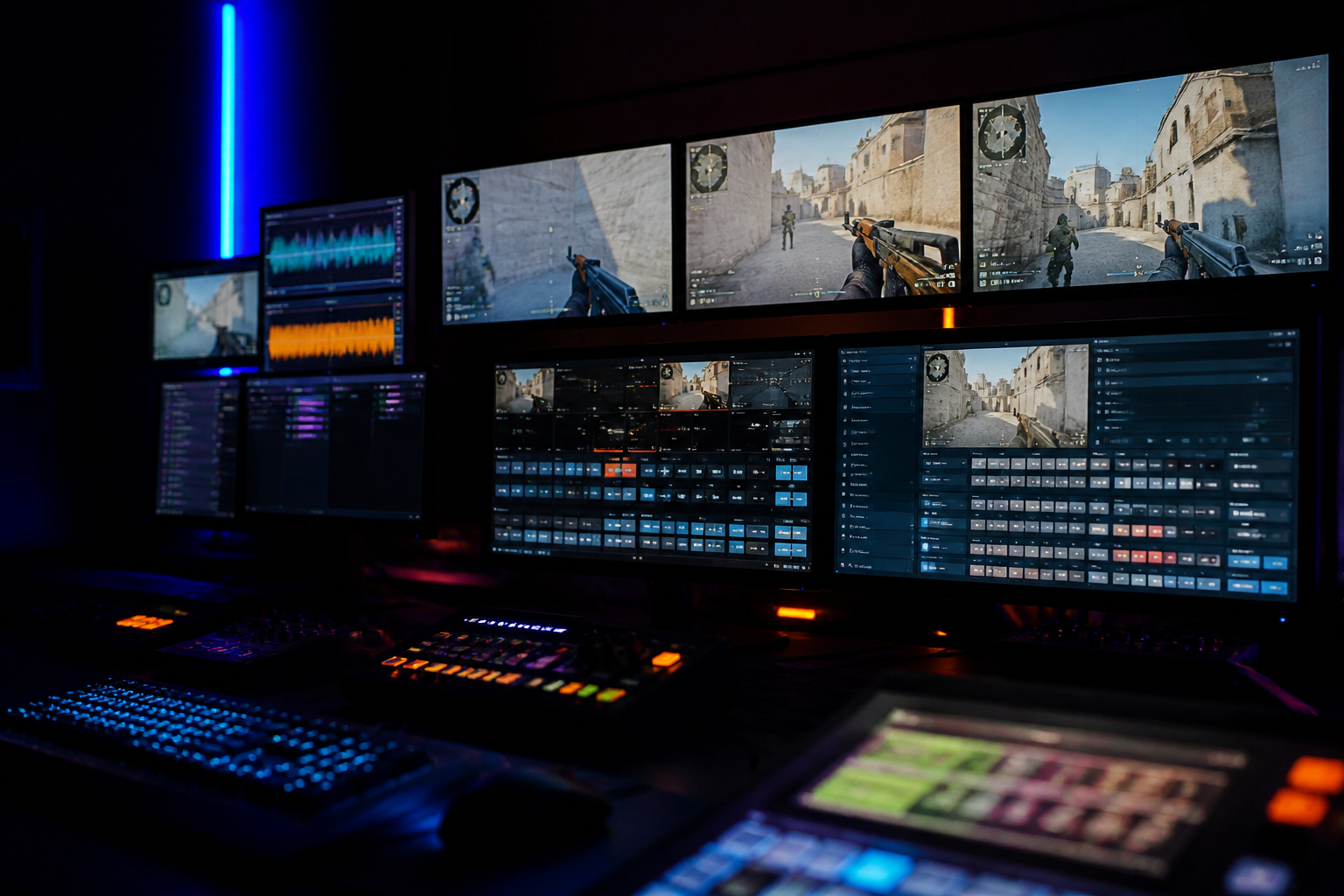
You've watched the grand finals, heard the roar of the crowd, and seen the casters bring a pivotal moment to life with their words. The path from spectator to storyteller is more accessible than ever, but it requires dedication, the right tools, and a clear strategy. If you're serious about learning how to become an esports caster, this guide provides the practical, no-nonsense roadmap you need for 2026. We will cover the essential gear you need to sound professional, the software to get your stream on the air, how to get critical practice, and the steps to building a portfolio that gets you hired.
Mastering the Fundamentals: Your Gear and Software Setup
Your voice is your primary instrument, and your audience's first impression of you is auditory. Poor audio quality is the fastest way to get a viewer to click away. Investing in a quality microphone is not optional. While your gaming headset mic is fine for Discord, it won't cut it for a broadcast. You have two main paths: USB microphones, which are plug-and-play, and XLR microphones, which offer higher quality but require an audio interface.
For USB options, the Rode NT-USB+ or HyperX QuadCast S are excellent starting points that provide clear audio with minimal setup. If you're ready to invest in a more professional setup, the XLR route is the way to go. A common and highly effective combination is a Shure SM7B or Rode Procaster dynamic microphone paired with a Focusrite Scarlett 2i2 audio interface. The interface powers the microphone and converts the analog signal to a digital one your computer can use, giving you clean gain and precise control. Don't forget a sturdy boom arm to position the mic correctly and a pop filter to eliminate harsh 'p' and 'b' sounds.
On the software side, the industry standard is OBS Studio. It's free, powerful, and universally used. You will use OBS to combine your voice, the game feed, and your visual overlays into a single broadcast stream. For streaming to platforms like Twitch or YouTube, you should configure your output settings for a stable, high-quality picture. A good starting point for 1080p at 60 frames per second is a bitrate of 6,000 to 8,000 kbps using the NVENC (if you have an NVIDIA GPU) or x264 encoder. To further refine your audio, you can install VST plugins like ReaPlugs within OBS to add a compressor, EQ, and noise gate, giving your voice that polished, broadcast-ready sound.
Finally, you need to look the part. A professional broadcast has clean, informative graphics. Manually managing scoreboards, player names, and tournament brackets during a live cast is a recipe for disaster. This is where a tool like HUDrift becomes essential. Instead of building graphics from scratch, you can use pre-made, broadcast-quality overlay packs for CS2, Valorant, and Rocket League that automatically pull data for the match you're covering. This lets you focus on your commentary, not on whether the score is correct on-screen.
The First Steps for an Aspiring Esports Caster
With your gear set up, the real work begins: practice. You wouldn't expect to play on a main stage without thousands of hours in the game, and casting is no different. The single most important activity for an aspiring caster is getting 'reps'—the act of commentating over gameplay, repeatedly. The best way to start is by casting over Video on Demand (VODs). You don't need an audience; you just need to practice the skill of talking over a game.
Finding source material is straightforward. For Counter-Strike 2, you can download demo files directly from HLTV.org for nearly any professional match. These demos give you full control of the camera, allowing you to follow the action as if you were a live observer. For games like Valorant or Rocket League, you can search YouTube for 'no commentary VODs' of high-level gameplay. Download the footage, load it into a video player, mute it, and record your own commentary over the top using OBS. The goal is volume. Aim to cast one full map or game every day. Your first hundred casts will likely be rough, but they are a necessary part of the process.
Once you've built some confidence from VOD casting, it's time to seek out live games. This is where you'll find the pressure and unpredictability that defines live broadcasting. The best place to find these opportunities is in the grassroots scene. Look for Discord servers dedicated to amateur and semi-pro tournaments in your chosen game. Use platforms like start.gg to find online competitions that might be looking for volunteer casters. These are your proving grounds.
Casting for these smaller events is also where you can add significant value. Many grassroots tournament organizers are volunteers themselves, and they appreciate casters who are self-sufficient. By using a tool like HUDrift, you can offer to run your own broadcast with professional graphics. When you can tell a TO, 'I can cover the 8pm match, and I'll run my own production with automated tournament graphics,' you become an asset, not a burden. This is how you build a reputation for being professional and easy to work with, which is invaluable for getting more opportunities. You can point them to HUDrift's tournaments page to show how easy it is to integrate.
Building a Portfolio to Become an Esports Caster
Practice is for you; a portfolio is for everyone else. A strong portfolio is your professional resume and the primary tool you'll use to get hired. It needs to showcase your skills, your personality, and your potential. The two core components of a caster portfolio are full-length VODs of your best work and a tightly edited demo reel. Create a dedicated YouTube channel for your casting. As you cast live community games or practice over VODs, save the recordings of your best performances and upload them.
Your demo reel is the most critical piece of your portfolio. This should be a 60 to 90-second video that acts as your highlight package. It needs to be fast-paced and impactful. Select 3-5 of your absolute best calls—moments of high action, clutch plays, or insightful analysis—and edit them together. Start strong, show your range (both play-by-play hype and analytical breakdowns), and end on a memorable call. This reel is what a potential employer will watch first, so it needs to grab their attention immediately.
Beyond your YouTube channel, you must be active on social media, particularly X (formerly Twitter), which functions as the professional backbone of the esports industry. Your profile should be professional. Post clips of your best casting moments, share your demo reel, and engage with the community by discussing matches and strategies. Follow tournament organizers, production companies, and other casters. It's also vital to show you understand the business and ethics of the industry. For example, being aware of major policy shifts, like EFG's updated CS2 rulebook, demonstrates a level of maturity and professional awareness that TOs look for. It shows you're not just a voice, but a professional who understands the ecosystem.
Developing Your Voice: Play-by-Play vs. Color Casting
In esports casting, there are typically two primary roles: the play-by-play caster and the color commentator (or analyst). The play-by-play caster is responsible for describing the action as it happens. They are the voice of the hype, capturing the speed and excitement of the game with a wide vocabulary and energetic delivery. They answer the question, 'What is happening?'
The color commentator, on the other hand, answers the question, 'Why is this happening?' They provide analysis, context, and narrative. This requires deep game knowledge, an understanding of team strategies, economies, and player tendencies. The color caster is the storyteller, weaving in narratives about player history, team dynamics, and strategic trends. A great analyst explains the significance of a play, predicts future outcomes based on current setups, and gives the audience a deeper appreciation for the strategy unfolding.
As a new caster, you should practice both roles. However, you will likely find you have a natural inclination and talent for one over the other. To be an effective analyst, you must stay current with the meta and the professional scene. For example, when casting a CS2 match, a good analyst might connect a team's sloppy execution to recent roster instability. You could mention how Johnny Speeds benched friberg, nawwk, and Lekr0 or how kyxsan's departure from Falcons could be impacting on-the-fly communication and team cohesion. This level of detail transforms your commentary from simple observation into compelling analysis.
Networking and Finding Paid Opportunities
Once you have a solid portfolio and have logged dozens of hours casting, you can begin to seek paid work. Your first paid gigs will likely come from the same sphere as your first live games: online leagues and grassroots tournaments. The key is to transition from being a volunteer to being a contractor. This starts with presenting yourself professionally in all communications. When you reach out to a tournament organizer, include a link to your YouTube channel and your demo reel. Keep your email concise and to the point, outlining what games you cast and what value you bring.
Being easy to work with is your most valuable asset. Respond to messages promptly. Be on time for production meetings and live times. Be prepared, having done research on the teams you're about to cast. A caster who is reliable and low-maintenance is far more likely to be hired again than a slightly more talented but difficult one. Knowledge of production tools also makes you more valuable. If a TO knows you are familiar with the HUDrift system they use, it's one less thing they have to worry about, making you a more attractive hire.
Discussing rates can be awkward, but it's a necessary part of turning a hobby into a career. Rates vary wildly based on the game, the tournament's prestige, and the size of the viewership. A small online qualifier might pay $50-$100 for a full day's work. A Tier 2 online event could be several hundred dollars per day. A Tier 1 LAN event can pay thousands. Be realistic about your experience level when setting your rates, but don't be afraid to ask for compensation once you have a proven track record of reliable, quality work. Being transparent about costs and value is a sign of professionalism, much like our own transparent pricing model.
The journey for how to become an esports caster is a marathon built on consistent effort. You build your foundation with the right gear and software, you hone your craft through hundreds of hours of practice, and you build your career by being a professional, reliable partner to tournament organizers. It starts with that first VOD cast in your bedroom and leads, with persistence, to the main stage. When you're ready to make your first broadcast look and feel like the real deal, your next step is clear.
Ready to produce your first professional-looking cast? Download HUDrift today and get access to broadcast-quality overlays for CS2, Valorant, and Rocket League instantly.
Essential Gear: Your Caster Starter Pack for 2026
Your voice is your primary instrument. As a caster, audio quality is non-negotiable and the single most important investment you will make. A poor-quality microphone will make your broadcast sound amateurish, regardless of your talent. You have two main choices: USB or XLR. USB microphones like the Rode NT-USB+ or Elgato Wave:3 are plug-and-play, making them a great starting point. They connect directly to your computer and offer excellent quality for the price.
For a more professional and upgradeable setup, an XLR microphone is the industry standard. Models like the Shure SM7B or Rode Procaster are dynamic microphones, excellent at rejecting background noise, which is ideal for a home setup. An XLR mic requires an audio interface, such as a Focusrite Scarlett Solo or TC-Helicon GoXLR Mini, which converts the analog signal to digital for your computer. This setup gives you more control over your sound, with physical knobs for gain and monitoring levels, and opens the door to using professional audio processing hardware and software.
Next, you need a pair of closed-back studio headphones. These are crucial for monitoring your own voice without it bleeding back into the microphone, causing echo and feedback. Avoid gaming headsets with open-back designs or built-in microphones. You need headphones for monitoring, not for communication. The Beyerdynamic DT 770 Pro and Audio-Technica ATH-M50x are industry workhorses for a reason: they provide accurate sound reproduction and excellent isolation, allowing you to hear exactly what your audience hears.
While audio is king, your on-camera presence matters, especially if you're building a personal brand. A dedicated webcam is a significant step up from a laptop's built-in camera. The Logitech C922 Pro or Razer Kiyo Pro offer a crisp 1080p image and perform reasonably well in low light. To truly look professional, invest in a key light. A single soft light, like an Elgato Key Light Air, positioned in front of you, will eliminate harsh shadows and create a clean, professional look that separates you from the crowd.
Software and Production: The Caster's Control Room
Your broadcast software is the central hub for your production. OBS Studio is the undisputed standard for streamers and casters alike. It's free, open-source, and incredibly powerful, allowing you to combine game footage, webcams, overlays, and audio sources into a polished broadcast. Before you go live, you must configure your settings for a stable and high-quality stream. In OBS, navigate to Settings > Output. Set the Output Mode to 'Advanced' for full control.
For your stream's encoding, your settings are critical. If you have a modern NVIDIA graphics card (RTX 20-series or newer), select the 'NVIDIA NVENC H.264' encoder; it delivers excellent quality with minimal impact on game performance. Set the 'Rate Control' to 'CBR' (Constant Bitrate) and input a bitrate appropriate for your internet upload speed and target platform. For Twitch, 6,000 kbps is the standard for 1080p 60fps streams, but pushing to 8,000 kbps can provide a cleaner image if your connection supports it. Set your 'Keyframe Interval' to '2'. In the 'Video' tab, ensure your 'Base (Canvas) Resolution' and 'Output (Scaled) Resolution' are both set to 1920x1080, with a 'Common FPS Value' of 60 for smooth gameplay.
Within OBS, you'll organize your broadcast using Scenes. At a minimum, you need a basic structure to manage your stream's flow. A professional caster's OBS setup includes several key scenes to switch between, creating a more dynamic and less jarring viewing experience for the audience. This basic structure demonstrates production awareness and is a hallmark of a serious broadcaster. Start with these four essential scenes:
- **Starting Soon:** A pre-show scene with a countdown timer, background music, and information about the upcoming match. This builds anticipation and allows viewers to gather before the action starts.
- **Main Gameplay:** This is your primary scene. It should include your game capture source, your camera feed (in a clean, unobtrusive frame), and your broadcast overlay. This is where you'll spend 95% of your time during a match.
- **Be Right Back / Technical Pause:** An essential scene for handling any breaks between maps or unexpected technical issues. It should clearly state that the broadcast will resume shortly. Never just show a black screen or a frozen game.
- **End Stream / Post-Match:** A scene to wrap up the broadcast. You can use this to show final scores, thank your viewers, and promote your social media or next cast. It provides a clean end to your stream.
Professional overlays are what elevate a simple stream into a legitimate broadcast. Manually updating scores, player names, and stats is tedious and prone to error. This is where automated tools become indispensable. HUDrift provides data-driven, broadcast-quality CS2 and Valorant overlays that integrate directly with the game. This means real-time K/D/A, bomb timers, team economy, and player equipment are displayed automatically, freeing you to focus entirely on your casting. Using a tool like this from your very first cast makes your production look like it belongs to a major tournament organizer.
How to Become an Esports Caster by Getting Your First Reps
You can't get hired without experience, but you can't get experience without getting hired. This is the classic caster's dilemma. The solution is to create your own experience through VOD casting. VOD casting is the process of downloading a pre-recorded match replay and casting it as if it were live. This is your training ground, your gym, and your lab. It's where you'll find your voice, practice your pacing, and learn the rhythm of a match without the pressure of a live audience.
The process is simple. Go to a site like HLTV.org for CS2 or VLR.gg for Valorant and find a recent match with a downloadable replay file. For instance, you could download the replay for the recent EWC qualifier where GamerLegion defeated JiJieHao. Load the replay in-game, fire up OBS, and record yourself casting the entire match. Don't stop and start. The goal is to simulate a real broadcast, complete with mistakes and awkward pauses. When you're done, watch it back. Be critical. Did you miss a key play? Did you talk over an important sound cue? This feedback loop is the fastest way to improve.
After dozens of hours of VOD casting, you'll be ready for a live audience. Your first live gigs will likely be for small, online community tournaments. These are the lifeblood of grassroots esports and are constantly looking for volunteer casters. Finding them is a matter of integrating into the community. Search for amateur leagues on platforms like Discord. These servers are hubs for players and organizers. Being an active, helpful member of these communities is the first step to getting on their radar.
Many of these forward-thinking organizers use platforms like HUDrift to manage their events. When you find a tournament to cast, you'll often interact with their systems directly. For example, by signing up on the HUDrift tournaments page, you might be asked to connect your Discord account. This integration automates communication: you'll get a DM confirming your signup, another one an hour before the event to check in, and crucial DMs telling you which players are in which match as they are seeded. This lets you easily follow the bracket and prepare for the specific games you're assigned to cast, making your job significantly easier.
Building Your Portfolio and Professional Network
Every VOD cast you record and every live community game you call is a potential piece of your portfolio. Your goal is to distill this work into a compelling sizzle reel. This is a 2-3 minute video that showcases your absolute best work. It should start immediately with your most energetic, articulate, and exciting play-by-play call. From there, demonstrate your range: show a moment of insightful analysis (color commentary), a smooth transition between plays, and your on-camera presence if applicable. This reel is your business card.
Your sizzle reel needs a home, and so does your body of work. Create a dedicated YouTube channel for your casting. Upload your sizzle reel and pin it. Then, upload the full, unedited VODs of the games you've cast. When you apply for a gig, the organizer will watch your reel first. If they're interested, they will want to see a full game to judge your consistency, stamina, and game knowledge over a 45-minute map. Having these readily available shows you are serious and prepared.
Networking is not about spamming DMs to pro players. It's about building a reputation for being reliable, prepared, and easy to work with. When you cast for a small tournament, show up early. Have your OBS scenes and overlays ready. Know the names of the players and the format of the tournament. After the event, thank the organizer. This professionalism will be remembered far more than a flashy call. The grassroots esports scene is small; a good reputation spreads quickly, and so does a bad one.
Look at the talent covering major events like the VCT Americas Stage 2 playoffs. The casters guiding viewers through the success of teams like NRG and Leviatán have years of experience built on a foundation of casting smaller, online events. They honed their craft in the same community tournaments you're now looking to break into. They built their portfolios and networks piece by piece, gig by gig. Your journey follows the same template.
The Business of Casting: Getting Paid and Finding Gigs
After building a solid portfolio with volunteer work, it's time to start charging for your services. The first step is to create a rate sheet. This is a simple document outlining your fees. This professionalizes you and avoids awkward negotiations. Your rates can be structured per match (e.g., $25 for a Best-of-1), per hour, or as a day rate for a full event. Even if your initial rates are low, having them defined shows you value your time and skill. As your experience and portfolio grow, you can confidently increase these rates.
Finding paid work requires proactive searching. Follow major tournament organizers like ESL, BLAST, and PGL on social media, but also pay close attention to regional and B-tier organizers who are more likely to hire emerging talent. They often post 'caster calls' on Twitter or Discord. Your existing network is your most powerful tool; a direct recommendation from a tournament organizer you've previously worked with is the most effective way to secure a new gig. Make sure your social media profiles are professional and clearly link to your portfolio.
The vast majority of esports casting work is freelance. This means you are operating as an independent contractor, not an employee. You are responsible for sending invoices for your work, tracking payments, and managing your own taxes. Use simple invoicing software to create professional invoices and keep records of all your paid gigs. This business acumen is just as important as your on-air talent for building a sustainable career.
Think long-term. The esports landscape is constantly evolving, with new games rising and new tournament circuits being announced. An event like the Overwatch World Cup 2026 might seem distant, but the casters who will be covering it are likely already active in the game's tier-2 and tier-3 scene today. By getting involved in a game's ecosystem early and consistently, you position yourself as a knowledgeable and experienced voice when larger opportunities arise years from now.
The road to becoming a professional esports caster is a marathon, not a sprint. It's built on a foundation of consistent practice, a deep understanding of your chosen game, and the professionalism to be reliable. It starts with downloading your first replay, hitting record, and speaking into the microphone. Using the right tools from the beginning can significantly shorten the time it takes to look and sound like a pro.
To give your first broadcasts that professional, data-driven edge that gets you noticed, download HUDrift today. Our automated overlays for CS2 and Valorant handle the complex production work, showing real-time stats and information so you can focus on delivering your best performance.
Frequently Asked Questions
- How much do esports casters make?
- Salaries for esports casters vary drastically. Entry-level casters for online community tournaments may work for free or for $50-$100 per day. Established casters at major Tier 1 LAN events can earn thousands of dollars per day. Top-tier casters with exclusive contracts for leagues like the VCT or ESL Pro League can earn six-figure annual salaries. Your income will grow with your experience, portfolio, and network.
- Do I need to be a high-ranked player to cast?
- No, you do not need to be a top-ranked player, but you must have a deep understanding of the game. Many excellent analysts are not mechanically gifted players, but they have spent thousands of hours studying strategy, VODs, and team dynamics. For play-by-play, a comprehensive knowledge of abilities, map locations, and game terminology is more important than your personal rank. Game knowledge is crucial, but being a pro player is not.
- What's the difference between a shoutcaster and a caster?
- The terms 'shoutcaster' and 'caster' are used interchangeably and mean the same thing: someone who provides live commentary for a video game or esports match. 'Shoutcaster' was an early term that became popular with the rise of Shoutcast audio software and has stuck around in the community. Whether you call yourself a caster, shoutcaster, or commentator, the role and expectations are identical in the modern esports landscape.
- How do I find games to cast for practice?
- The best resource for practice is VODs (Video on Demand). For CS2, you can download match demos directly from HLTV.org. For games like Valorant, League of Legends, or Rocket League, you can search YouTube for phrases like '[Game Name] pro match no commentary'. This gives you clean game footage to record your own commentary over. Once you're more confident, look for amateur tournaments on platforms like start.gg or community Discord servers.
- Can I become an esports caster without showing my face?
- Yes, it is possible, especially when starting out. Many online tournaments only require a voice-over from the caster. You can build a strong portfolio and even a career based on the quality of your voice, analysis, and professionalism alone. However, for top-tier on-site events and studio broadcasts, being comfortable on camera is often a requirement as you will be part of a physical broadcast desk. Starting as a voice-only caster is a perfectly viable path.
- What is the most important skill for an esports caster?
- Clarity and game knowledge are paramount. You must be able to clearly articulate fast-paced action while understanding the underlying strategy. Vocal stamina is also crucial; casting a best-of-five series can take hours. Practice both by VOD casting full, unedited matches to build your endurance and analytical skills. Your microphone quality is the single most important technical factor that supports these skills.
- How much do beginner esports casters make?
- Initially, you will likely cast for free to build your portfolio and gain experience. Your first paid gigs for small online tournaments might range from $20-$50 per match or a small day rate. As you gain a reputation for reliability and skill, you can increase your rates. Established freelance casters for tier-2 events can make several hundred dollars per day of broadcasting.
- Do I need a co-caster to start?
- No, you can and should start as a solo caster. This forces you to learn both play-by-play (describing the action) and color commentary (providing analysis and context), making you a more versatile talent. It's a fantastic way to develop your skills. Later, working with a co-caster allows for a more dynamic broadcast as you can specialize, but it is not a prerequisite for getting started.
- Which esports are best for new casters?
- The best game to cast is the one you know and love the most. Your passion and deep knowledge will be your greatest asset. However, games with large, open amateur scenes like CS2, Valorant, and Rocket League offer the most opportunities. These games have robust replay systems and countless online tournaments, providing a steady supply of matches to practice with and find volunteer opportunities for.
- How do I handle mistakes or technical issues live on air?
- Stay calm and be transparent. If your game crashes, simply say, "Looks like we're facing a minor technical issue, we'll be right back," and switch to your 'Be Right Back' scene in OBS. If you make a factual error, correct it quickly and move on. Viewers appreciate authenticity more than flawless perfection. The key is to remain professional and composed, not letting a small issue derail the entire broadcast.