What is an Esports Overlay? Scorebugs, Brackets & More Explained for 2026
Curious about 'what is an esports overlay?' Learn how scorebugs, lower-thirds, and brackets elevate your stream from a simple feed to a pro broadcast.
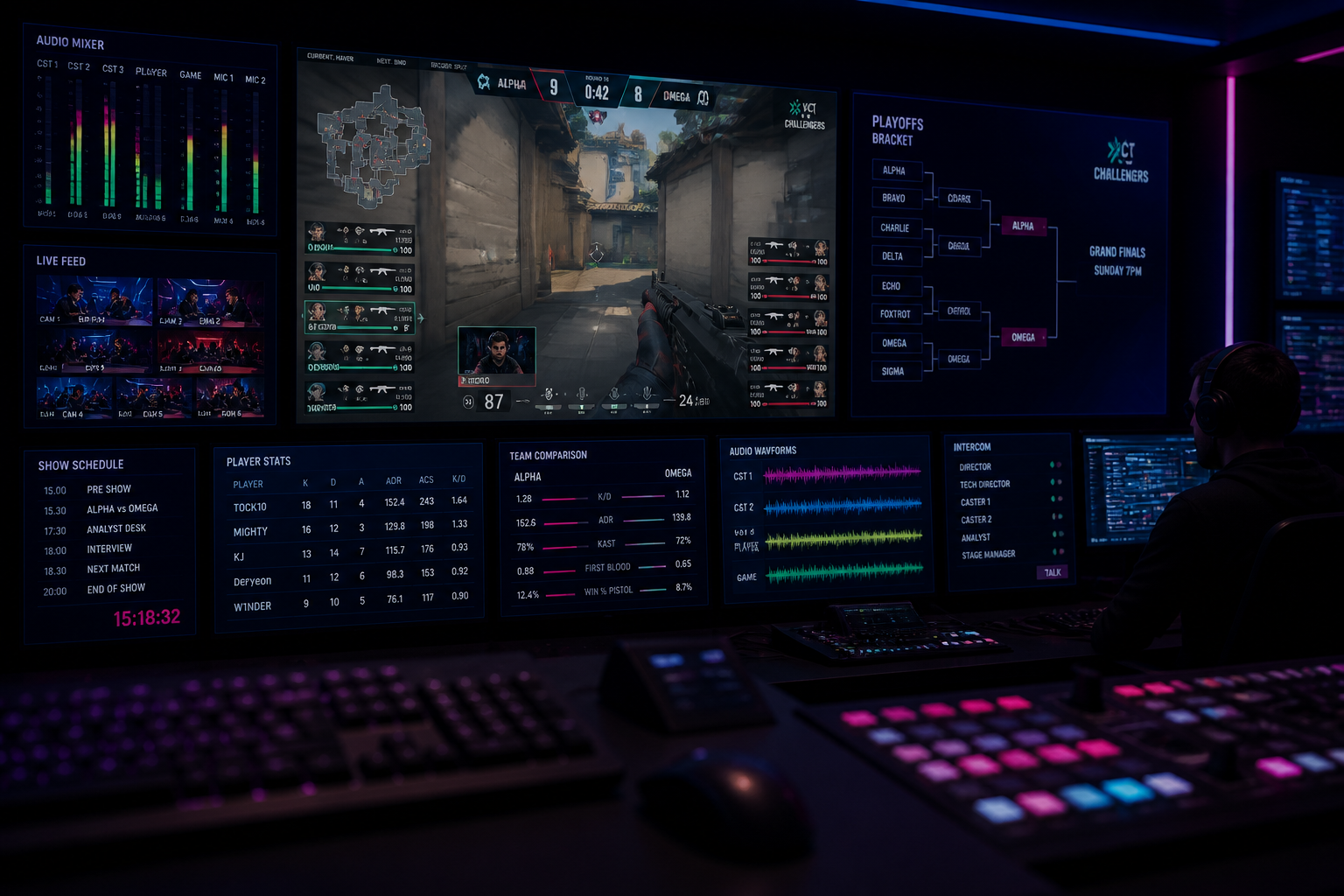
If you've ever watched a professional esports tournament, you've seen more than just raw gameplay. You've seen a production, complete with scores, player stats, and tournament brackets. So, **what is an esports overlay?** It's the collection of all these graphical elements placed on top of the game feed that transforms a simple stream into a professional broadcast. These graphics provide context, tell a story, and create a branded viewing experience. In this guide, we'll break down each component of a typical esports graphics package, from the scorebug to the bracket, and show you how to implement them for your own stream or tournament using HUDrift.
The Core Component: In-Game Scorebugs and HUDs
The most fundamental piece of any esports broadcast is the scorebug, also known as the in-game Head-Up Display (HUD) overlay. Its primary job is to convey the most critical information about the current state of the match at a single glance. Viewers should be able to look away and look back, instantly understanding the score, who is winning, and how much time is left. This element is non-negotiable for creating a watchable competitive broadcast, as it provides the core context for every action that happens on screen.
For a game like Counter-Strike 2, a standard scorebug includes the team names and logos, the current round score, the number of players alive on each team (e.g., 5v5, 4v5), the round timer, and whether the bomb has been planted. During a tense match, like the recent Stake Ranked game where New Phantom surprised paiN, viewers rely on the overlay to track the rapid shifts in player advantage. Seeing the 'players alive' counter tick down from 5v5 to 2v1 creates the drama; the overlay is what makes that drama legible to the audience.
Manually updating this information is impossible in a fast-paced game. This is where automated tools become essential. HUDrift uses CS2's native Game State Integration (GSI) to pull this data directly from the game in real-time. You simply install our connector, and the overlay populates itself. There is no need for a human operator to update the score or player count. Our system automatically detects round wins, player deaths, and bomb plants, ensuring your broadcast overlay is always accurate to the millisecond. This same principle applies to other titles; for Valorant, our overlays can track agent ultimate status, and for Rocket League, they display boost levels for each player, all pulled directly from the game's data.
What is an Esports Overlay for Player Information? Lower-Thirds and Cams
Beyond the in-game state, a good broadcast tells the story of the players. This is where informational graphics like lower-thirds and player camera frames come in. A lower-third is a graphic placed in the lower-third of the screen (hence the name) to introduce a person, whether it's a player, caster, or analyst. It typically contains their name or alias, team affiliation, social media handle, and sometimes a key statistic relevant to their performance. It adds a layer of professionalism and helps viewers connect with the personalities on screen.
Similarly, player cam frames are custom-designed borders for webcam feeds. Instead of just placing a raw rectangle of a player's webcam on screen, a frame integrates it into the overall broadcast design. It can include the player's name, team logo, and other small identifiers. When you see all five players on a team lined up in their custom cam frames, it visually reinforces the team aspect of the game and mimics the production quality of top-tier events. For your community tournament, this simple addition can significantly elevate the perceived value and professionalism of the broadcast.
Creating these assets for every player in a tournament can be time-consuming. HUDrift streamlines this by allowing you to create templates that are automatically populated with data. By linking a Google Sheet or using our integrated tournament system, player names, teams, and social handles can be pulled into the overlay with a few clicks. When you switch to a specific player's point of view, you can trigger their corresponding lower-third or camera overlay. This removes the need for manually typing names and avoids embarrassing typos during a live broadcast, ensuring your production runs smoothly. You can browse our library of pre-made overlay packs that include matching designs for scorebugs, cams, and lower-thirds.
Visualizing the Narrative: Tournament Brackets and Standings
While the scorebug explains the 'what' of a single match, the tournament bracket explains the 'why'. It provides the overarching narrative for your entire event. A bracket overlay shows the structure of the tournament—be it single-elimination, double-elimination, or a Swiss system—and tracks each team's progress through it. For a multi-day event like the upcoming CoD Champs 2026, the bracket is essential. Viewers who tune in on the final day need to see the journey the two grand finalists took, including their wins and losses in the upper and lower brackets.
The old method of showing a bracket on stream involved taking a screenshot from a platform like Challonge or Start.gg and displaying it as a static image. The problem is that this image becomes outdated the moment a match concludes. The broadcast producer would then need to take a new screenshot, import it into their scene, and switch to it, a clunky and slow process. This manual workflow is prone to error and pulls production focus away from the live game.
HUDrift solves this by generating a dynamic, animated bracket overlay that you can use as a browser source in your streaming software. Our tournament management tools allow you to set up your event, register players, and seed the bracket. As you enter match results within HUDrift, the bracket overlay updates automatically in real-time. You can show the full bracket between matches or even display a 'next match' graphic that pulls data directly from the live bracket. This keeps your audience informed about the tournament's state without any manual work from your production team, providing a seamless and professional viewing experience.
Automating Your Broadcast: Data Integration and Real-Time Updates
The technology that powers modern esports overlays is the browser source, a feature found in streaming software like OBS Studio and Streamlabs. Instead of using static images or video files, which are heavy on your CPU and difficult to update, a browser source renders a webpage directly within your broadcast scene. All of HUDrift's overlays are delivered as a simple URL. You copy this URL, create a new 'Browser' source in OBS, paste it in, and set the resolution (e.g., 1920x1080). That's it. The overlay is now live on your stream.
The power of this method is that the webpage can be updated remotely and in real-time. When a round ends in your CS2 match, our server receives the GSI data, updates the overlay 'webpage', and the change is instantly reflected on your stream. There is no need for you to do anything. This is what allows a solo streamer to have the production quality of a multi-person team. The data automation handles the complex work, letting you focus on casting the game or interacting with your chat.
This automation extends to tournament organization. When you're managing an event through HUDrift, our system uses Discord to streamline communication. When a player signs up for your tournament and connects their Discord account, they receive an automatic direct message confirming their registration. An hour before the event starts, they receive another DM with a check-in link. Once you've seeded the matches, each player gets a final DM notifying them of their first opponent and which lobby to join. This automated communication, combined with the automated overlays, removes major logistical headaches for tournament organizers.
Building a Cohesive Brand: What is an Esports Overlay Package?
We've discussed the individual components, but the final step is to understand **what is an esports overlay** in the context of a full graphics package. A professional broadcast uses a consistent visual identity across all graphical elements. The fonts, colors, logo placements, and animation styles used on the scorebug should match those on the lower-thirds, the bracket, the player cams, and other broadcast scenes. This cohesion is what builds a recognizable brand for your stream or tournament series.
A complete package typically includes more than just the in-game elements. It also contains full-screen graphics for different segments of your broadcast. These can include a 'Starting Soon' screen with a countdown timer, a 'Be Right Back' scene for breaks, a 'Technical Pause' graphic, and a post-match summary screen that displays final scores and key player statistics. It might also include transition stingers, which are short, animated videos that provide a smooth visual cut between different scenes (e.g., from gameplay to a caster's camera).
Building a full package from scratch requires significant graphic design and motion graphics skills. To make this level of production accessible to everyone, HUDrift offers a range of professionally designed, customizable graphics packages. You can choose a style that fits your brand, easily change colors to match your logo, and upload your own team or sponsor assets. This ensures that every part of your stream, from the moment you go live to the final scoreboard, looks polished, consistent, and professional.
Ultimately, an esports overlay is a storytelling tool. It provides the crucial context that turns a sequence of in-game actions into a compelling narrative of competition. By automating the data and providing cohesive design packages, you can elevate your production value significantly. Stop just streaming your game; start producing your broadcast. Download HUDrift today and access the tools used by organizers and casters to create compelling live esports content for your community.
Frequently Asked Questions
- How do I add an esports overlay to my stream?
- You add an esports overlay using your streaming software like OBS or Streamlabs. Most modern overlays, including those from HUDrift, are provided as a URL. You add a 'Browser Source' to your scene, paste the URL, and set the resolution. The overlay is then rendered live on your stream, and any updates to scores or stats happen automatically without you needing to do anything further.
- Can I get a broadcast overlay for free?
- Yes, many powerful broadcast overlays are available for free. HUDrift offers a comprehensive free tier that includes automated scorebugs for games like CS2 and Valorant, as well as tournament management features. This allows you to create a professional-looking broadcast for your community tournaments or personal stream without any initial investment. You can get started and see the impact on your stream's quality right away.
- What makes a good esports overlay?
- A good esports overlay is clear, concise, and consistent. It must be easily readable against busy gameplay, so font choice and color contrast are critical. It should only show essential information to avoid cluttering the screen. Most importantly, it should have a consistent design across all elements (scorebug, lower-thirds, brackets) to build a strong, professional brand identity for your broadcast.
- Does an esports overlay use a lot of CPU?
- Modern, browser-based overlays are extremely lightweight and use very little CPU. Unlike older methods that used local video files or complex plugins, a browser source simply renders a webpage. This work is highly optimized in software like OBS. Using a tool like HUDrift will have a negligible impact on your computer's performance, ensuring you can maintain a high-quality stream framerate while running a professional graphics package.
- How does a stream overlay get live game data?
- Overlays get live data through APIs or Game State Integration (GSI). For games like CS2, GSI involves adding a configuration file to the game's folder that tells the game to send a constant stream of data (like score, player health, and bomb status) to a specific local address. A tool like HUDrift listens to this address, processes the data, and updates the browser source overlay in real-time.